
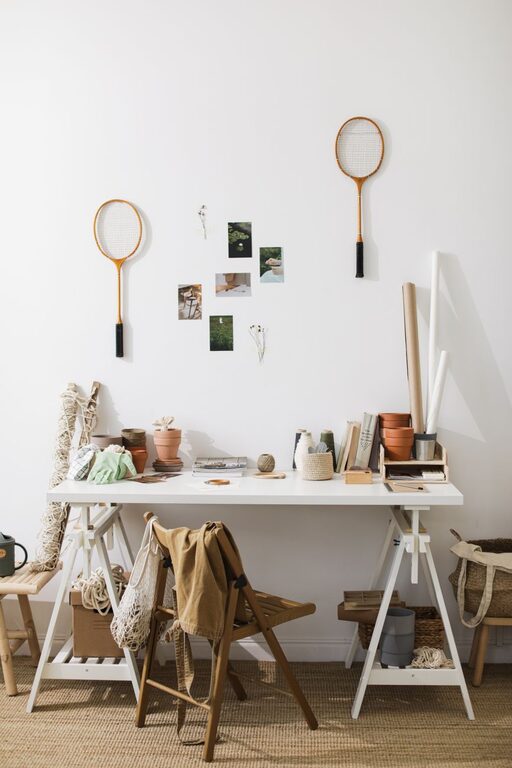
Creating a workspace that reflects your personality while supporting your productivity can make your workdays more enjoyable and efficient. Personalizing your workspace doesn’t require a lot of time or money; even small changes can have a big impact on how you feel and perform throughout the day. In this post, we’ll explore simple ways to add your unique touch to your workspace, whether you work from home or in an office.
Why Personalize Your Workspace?
Before diving into tips, it’s helpful to understand why customizing your workspace matters. A personalized environment can boost motivation, reduce stress, and improve your overall mood. When your workspace feels pleasant and organized, you’re more likely to stay focused and energized.
Start with Organization and Decluttering
Clear Out Unnecessary Items
A cluttered desk can be distracting. Begin by removing anything that doesn’t serve a purpose or bring you joy. Keep only essentials like your computer, notepads, and frequently used tools within reach.
Use Storage Solutions
Invest in simple storage options such as drawers, trays, or shelves to keep items organized. Labeling containers can also help maintain order and make it easier to find what you need.
Add Personal Touches with Decor
Incorporate Artwork and Photos
Display photos of loved ones, inspiring quotes, or artwork that makes you smile. These visual elements can provide comfort and motivation during long work hours.
Choose Colors You Love
If possible, introduce colors that you find calming or energizing. This could be through desk accessories, a mouse pad, or wall art. Colors can influence your mood, so pick shades that help you stay focused.
Bring in Nature
Add Desk Plants
Small plants like succulents or air plants require minimal care and add a refreshing touch of green to your workspace. Plants can improve air quality and create a more relaxing atmosphere.
Use Natural Light
Position your desk near a window to maximize natural light. If this isn’t an option, try daylight bulbs to mimic natural light, which helps reduce eye strain.
Upgrade Your Comfort
Ergonomic Chair and Accessories
Investing in a comfortable chair and ergonomic accessories like keyboard rests or adjustable monitor stands can improve posture and reduce fatigue.
Personalize Your Desk Setup
Adjust the layout of your workspace to suit your habits. Keep frequently used items close and create zones for different tasks to maintain flow throughout the day.
Incorporate Technology that Fits Your Style
Customize Your Desktop
Use wallpapers, themes, or screensavers that reflect your interests or inspire you. Organize your digital files in a way that’s intuitive and efficient for you.
Use Personalized Tech Accessories
Consider adding unique mousepads, keyboard covers, or headphones that show off your style without compromising functionality.
Create a Relaxation Corner
If space allows, set up a small area for short breaks. This could include a comfy chair, a small bookshelf, or a diffuser with your favorite scents. Taking breaks in a soothing spot can help reset your mind and boost creativity.
Maintain Your Personalized Space
Regularly Update and Refresh
As your preferences and needs change, update your workspace accordingly. Switch out decor, rearrange items, or bring in seasonal touches to keep things feeling fresh.
Keep It Clean
A clean workspace supports productivity and reduces stress. Establish a routine to tidy up at the end of each day, maintaining the personalized atmosphere you’ve created.
Final Thoughts
Personalizing your workspace is about creating a place where you feel comfortable, inspired, and ready to tackle your tasks. By combining organization, thoughtful decor, and ergonomic comfort, you can transform your working environment into a space that truly supports your well-being and productivity. Start with a few small changes today and enjoy the positive impact they bring to your workday.